AI-driven accessibility
Instruction Guide Search Index
A searchable index that lets staff find the right instruction guide across 1,500+ toolkit documents — answering the number-one piece of user feedback: they're impossible to find.
 Automation
The Problem
UFHR's toolkits hold more than 1,500 documents, and end users couldn't find the instruction guides they needed. A focus group named findability as their single biggest frustration.
Design Story
I helped run a focus group on improving our guides, heard “they're hard to find” loud and clear, and built an index to fix it.
Complexity
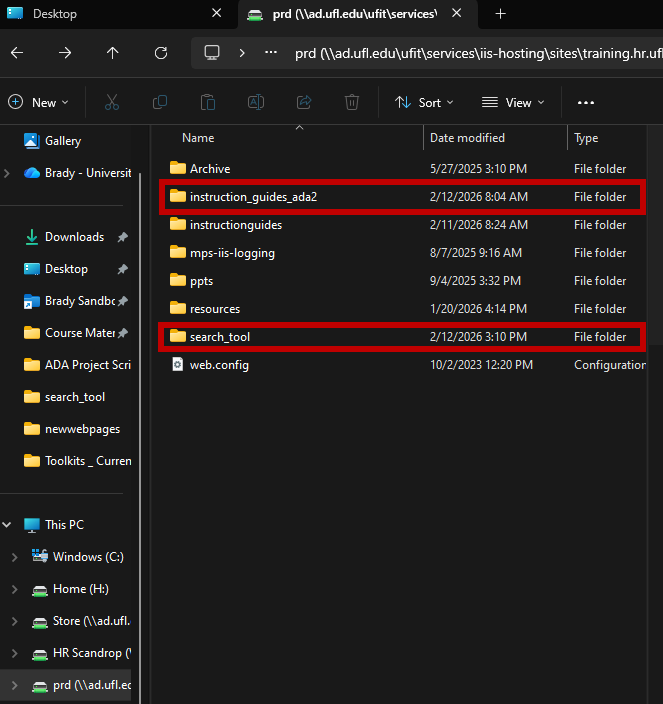
The guides live on a Z-drive and across many toolkit pages — not in one CMS. There was no database, and I didn't have server access to automate updates.
The Designed Solution
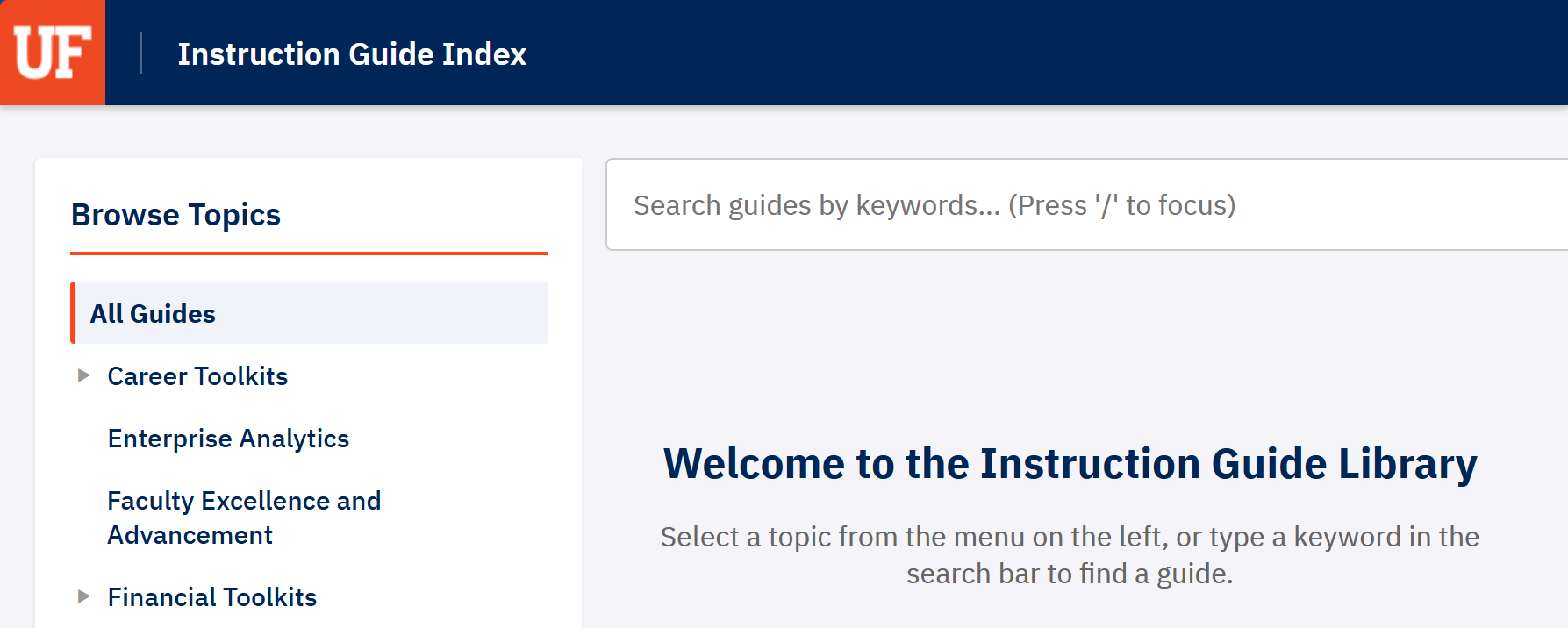
I built a secure, launch-ready prototype: a Python crawler scans the Z-drive and toolkit pages and compiles a JSON index that a lightweight, accessible web app searches — with keyword search (an aria-live results region and a “/”-to-focus shortcut) and a browsable topic tree by toolkit. To make it an official, maintainable part of UF's sites, I then partnered with UFHR's IT developer to reimplement it as a WordPress plugin.
Design Decisions
- Built a crawl-to-JSON pipeline so the index reflects the real, current document set.
- Made the front-end keyboard- and screen-reader-friendly, and hardened it (input sanitization, XSS-safe) so it was secure and ready to launch.
- Ran a structured focus-group test and folded in the feedback, then partnered with UFHR IT to rebuild the tool as an official WordPress plugin for UF sites.
The Result
A live “Instruction Guide Library” that takes users straight to the guide they need — and that helped the team reconcile old and new guides during the WCAG migration.
Impact
Turned a 1,500-document haystack into a single search box.
Outcome
Tested by a stakeholder focus group, approved, and — rebuilt as a WordPress plugin with UFHR IT — rolled out across the UFHR toolkits.